
Writing the Reply Isn't the Problem
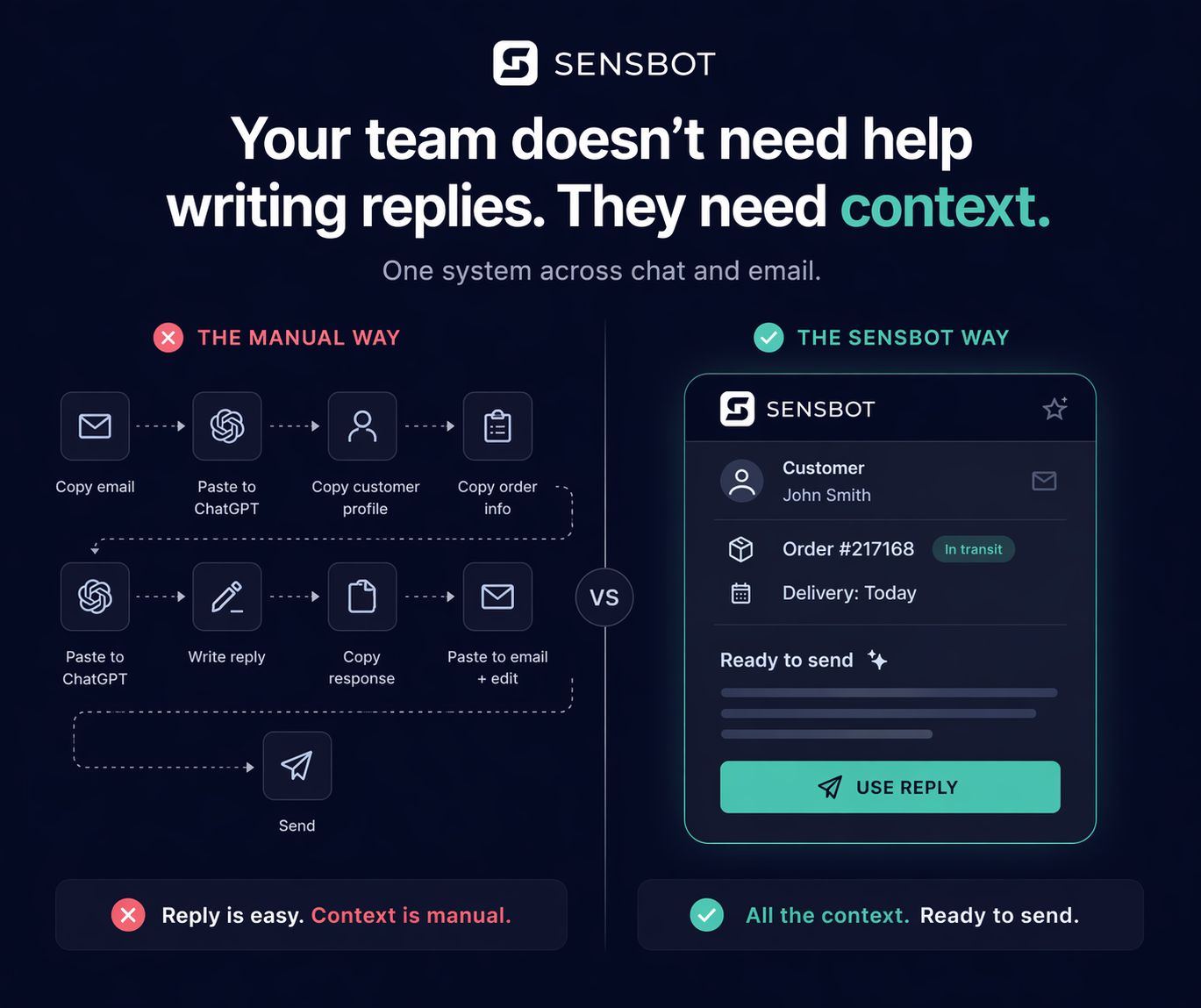
Most support teams already use AI. They still do this manually: find the order, check its status, copy the context somewhere the agent can see it. Then write the reply.
AI handles the last step reasonably well. The first three are where time disappears.
A customer asks where their order is. You open the shop backend, search the order number, check the carrier status, read the estimated delivery, copy it somewhere useful. Thirty seconds, maybe a minute. Times fifty tickets a day.
The problem isn’t that AI can’t write a good reply. It’s that before anyone types a word, someone has to go get the data.
Sensbot connects directly to your store. When a message comes in, the order, customer, and shipping data is already there. The reply isn’t assembled from a template. It’s built from what’s actually in your system.
“Your order shipped yesterday via DPD. Expected delivery is tomorrow.”
That reply takes seconds to generate. The context was already there.
Most AI support tools stop at text generation. Sensbot starts at the data. The reply follows.
Free store support audit
We check by hand how your store answers customers. Free, no access, report by email.
See it in action